Ledge for Mac
A one-minute install, then paste the license key from your purchase email.
Three steps, one time.
macOS shows a notice the first time you open an app that came from outside the App Store. It’s routine, not a verdict. Ledge is signed, needs no account and sends nothing off your Mac. After the third step it opens like everything else.
- Step 1
Drag Ledge into Applications
Open the DMG and drop Ledge onto the Applications folder next to it.
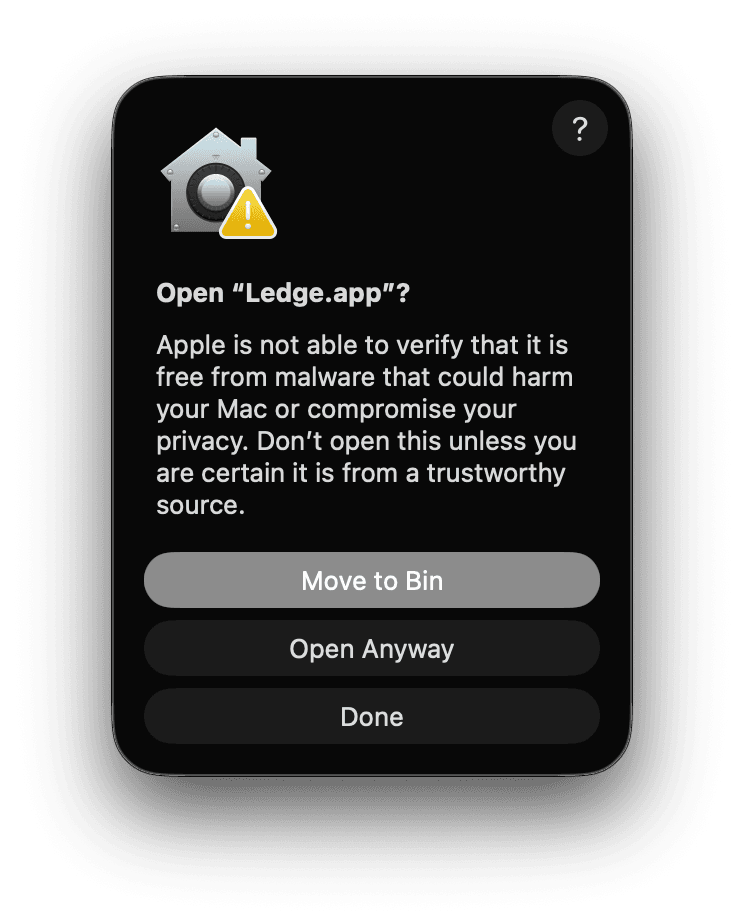 Step 2
Open it. macOS pauses to check
Every app from outside the App Store gets this notice the first time. Click Done.
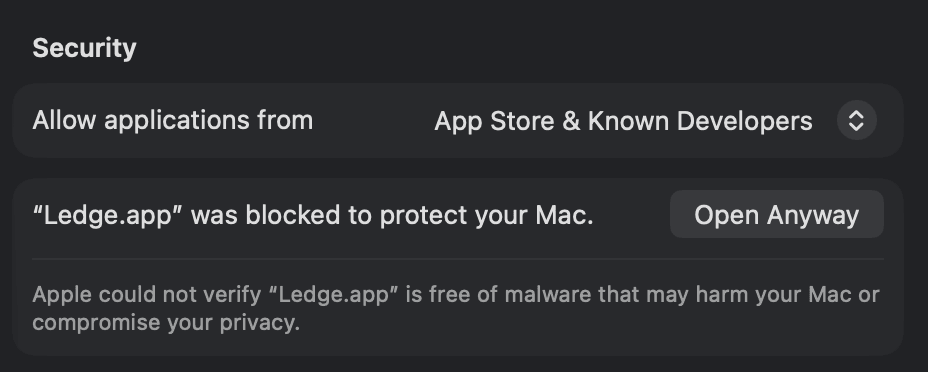 Step 3
Click Open Anyway, once
System Settings → Privacy & Security, near the bottom. Confirm with Touch ID and Ledge opens like any other app from then on.
Then paste your license key.
Ledge asks for it on first launch. It’s in your purchase email and on the page you saw after checkout. Lost it? Write to support@ledgeformac.com.
On macOS 14 Sonoma it’s shorter: right-click Ledge, choose Open, then Open again.