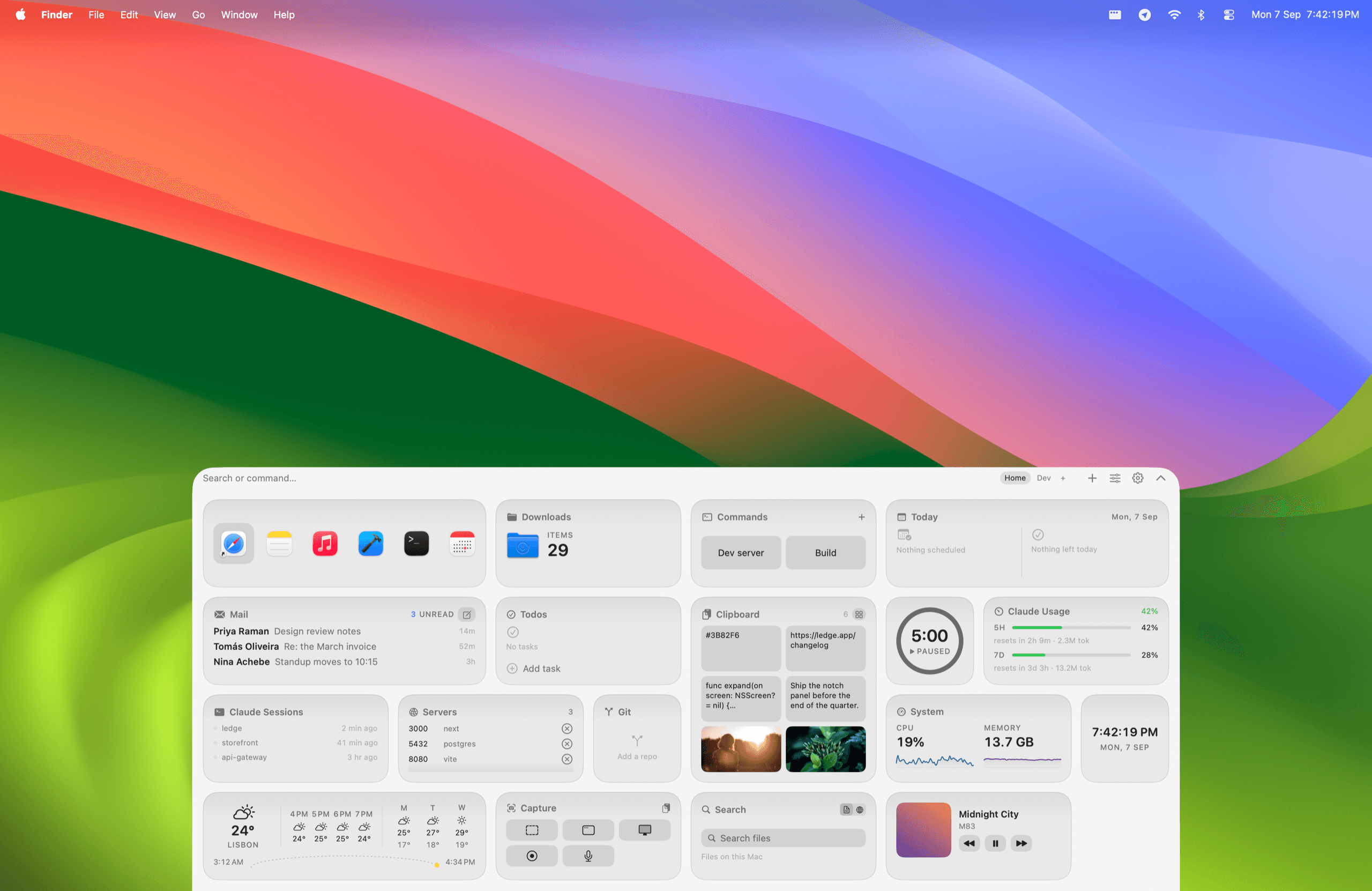
Your Mac’s notch, finally useful.

Push the cursor into the notch and everything you check a hundred times a day is right there. Move away and it’s gone.

One-time purchase. No subscription. 7-day refund.

0:00 / 0:00
Runs locallyNo accountApple Silicon and IntelmacOS 14 Sonoma or later
Runs locally · No account
Apple Silicon and Intel · macOS 14+

One glance up.

Calendar, mail, todos, timers, world clocks, system stats. All in one place, gone the moment you move away.
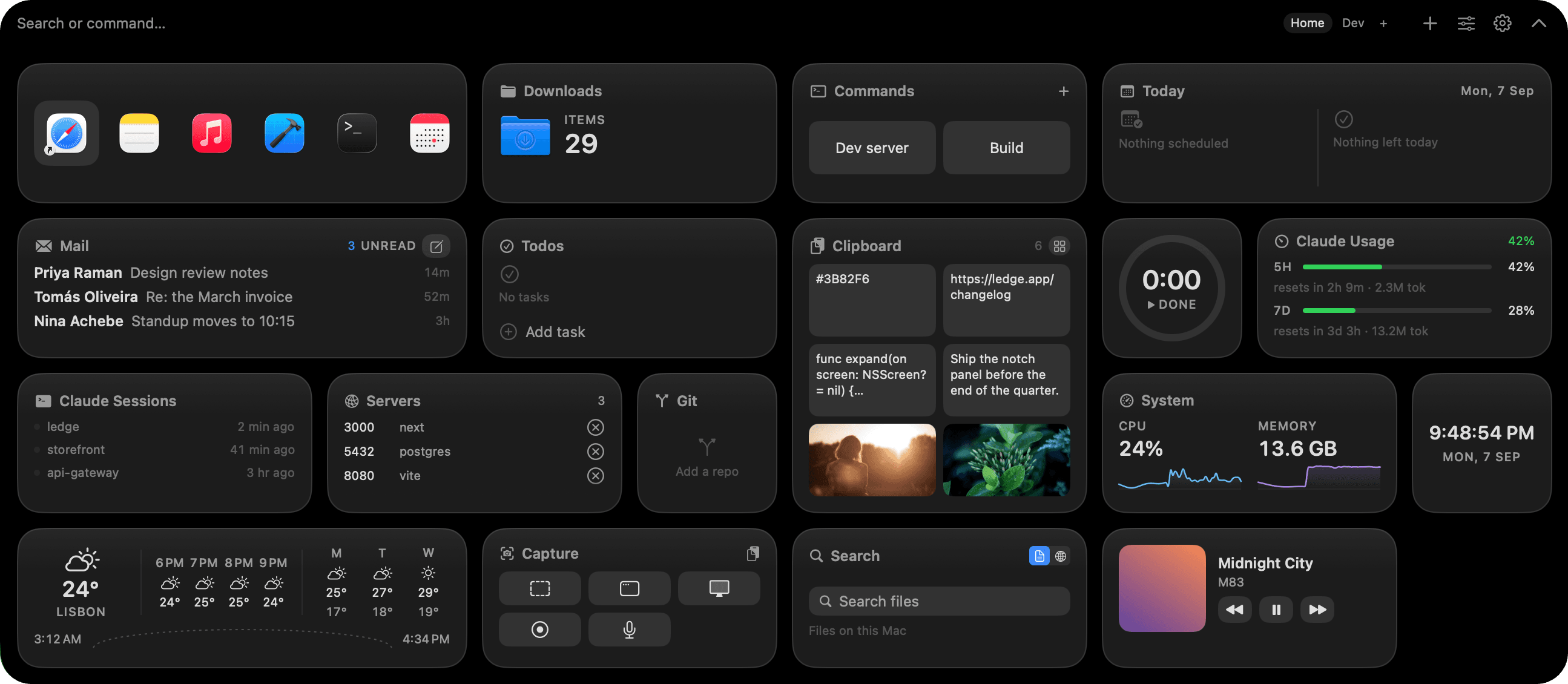
The Ledge Home page in dark mode: calendar, mail, reminders, world clocks and CPU widgets arranged in a grid.

A glance without opening it.

Now playing, a running timer, or your next meeting sits beside the notch while the panel is closed.

Close-up of the collapsed Ledge capsule beside the notch, showing the track that is playing and a countdown timer.

Clipboard, with real previews.

Hover a clip and see the code, the image, the link, before you paste. Images, text, colors, URLs, all searchable.
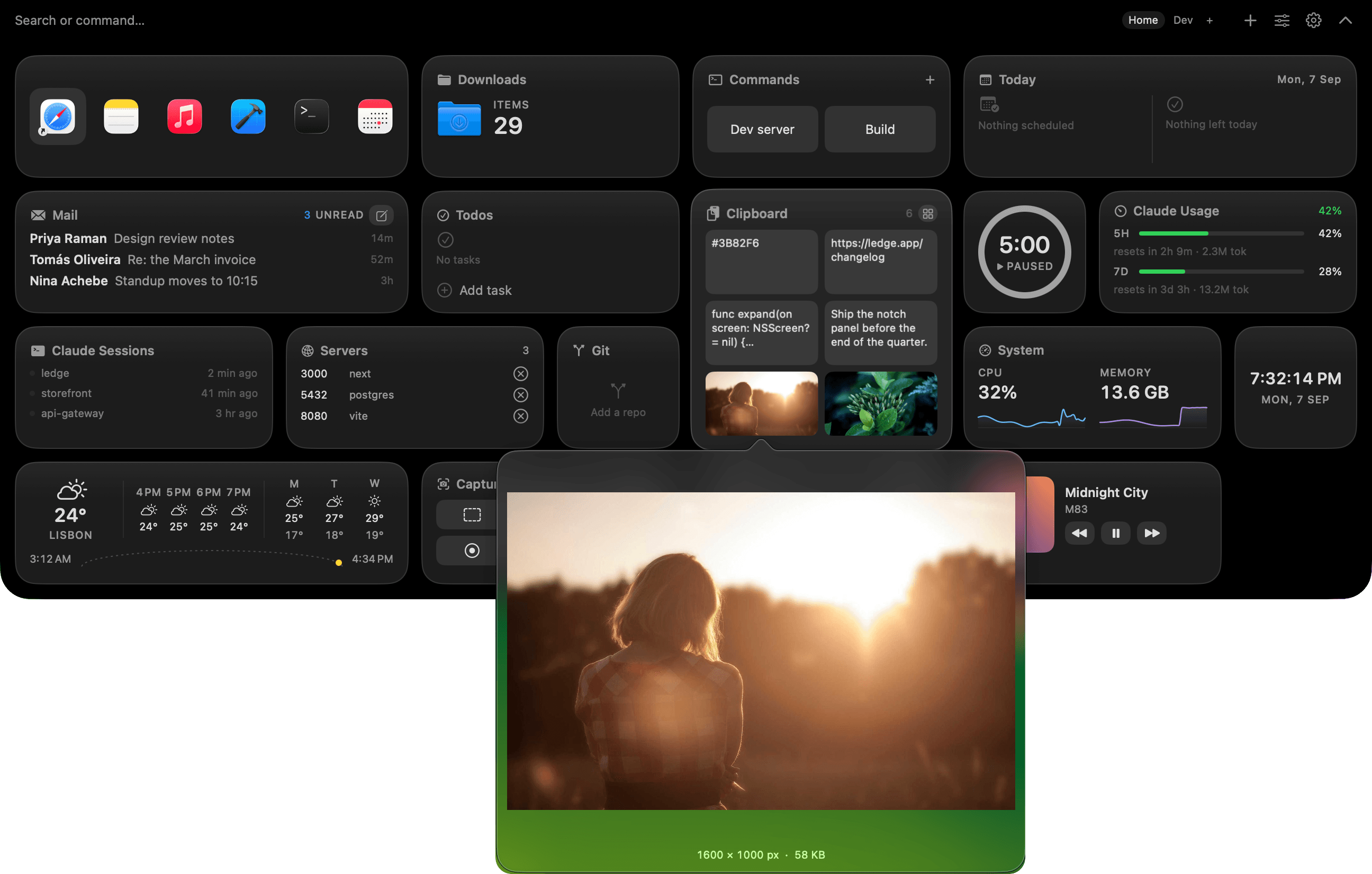
The Ledge clipboard widget with an image clip hovered, showing a full preview of the copied picture.

Make pages. Switch in a click.

One page for work, one for home, one for the weekend. Each keeps its own widgets and layout. Switch with a click or a key.
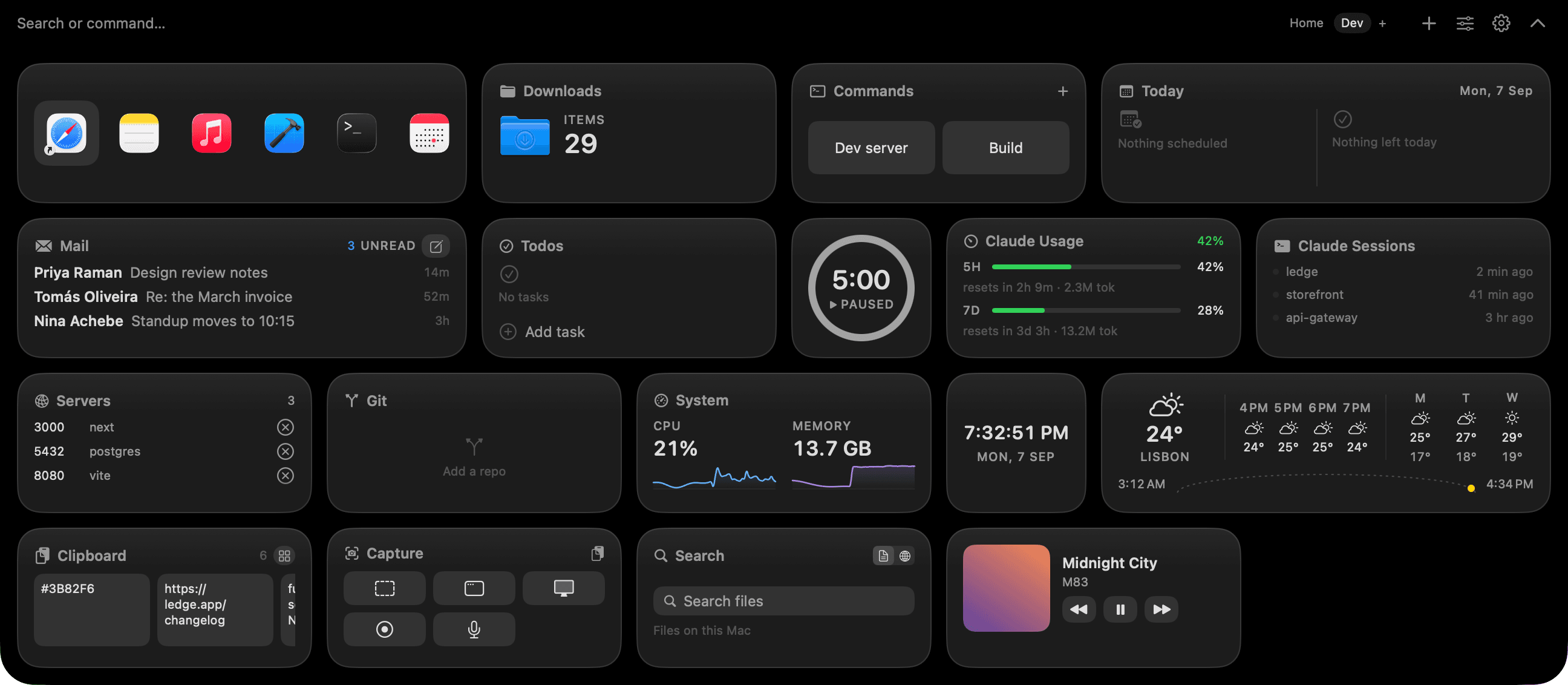
A second Ledge page in dark mode with a different set of widgets: system graphs, local servers, Git status and a clipboard.
The Ledge Home page in dark mode: calendar, mail, reminders, world clocks and CPU widgets arranged in a grid.

Every widget, previewed live.

Pick from 40+ widgets and watch it run before it lands.
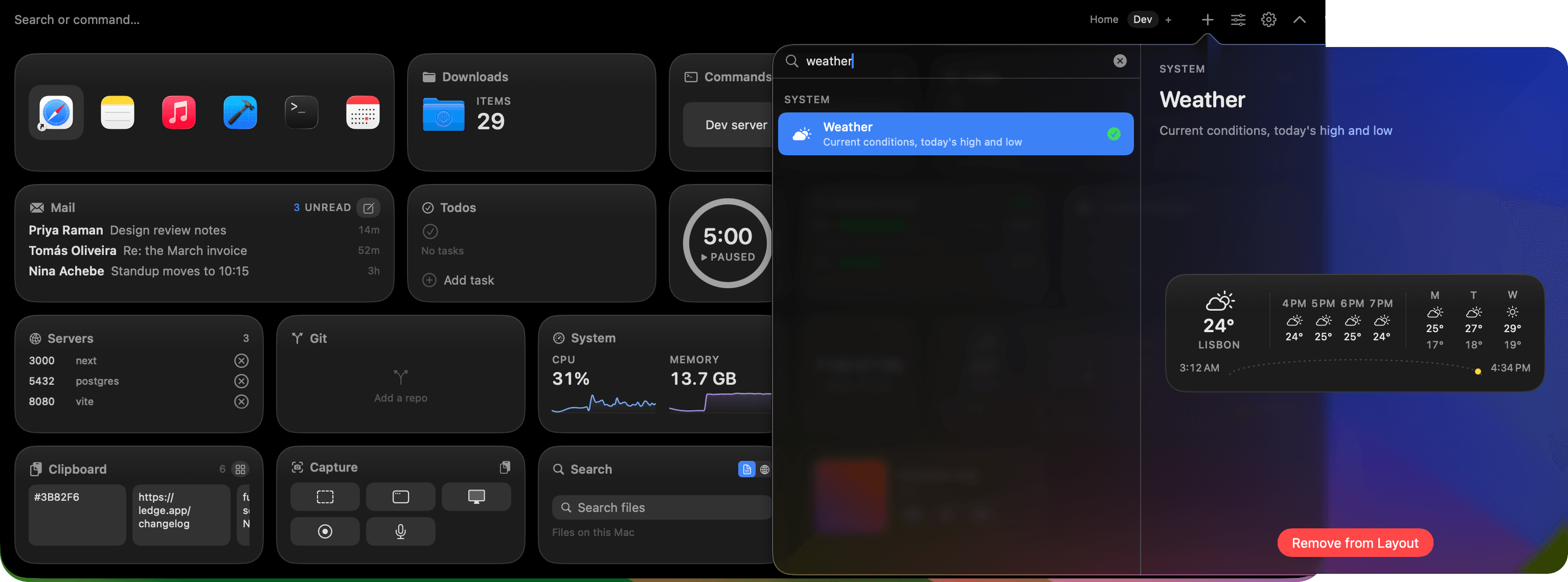
The Ledge widget picker, with a live running preview of the highlighted widget next to the list.

Then drag, resize, rearrange.

Your layout, your sizes. Every tile snaps to the grid and remembers where you left it.
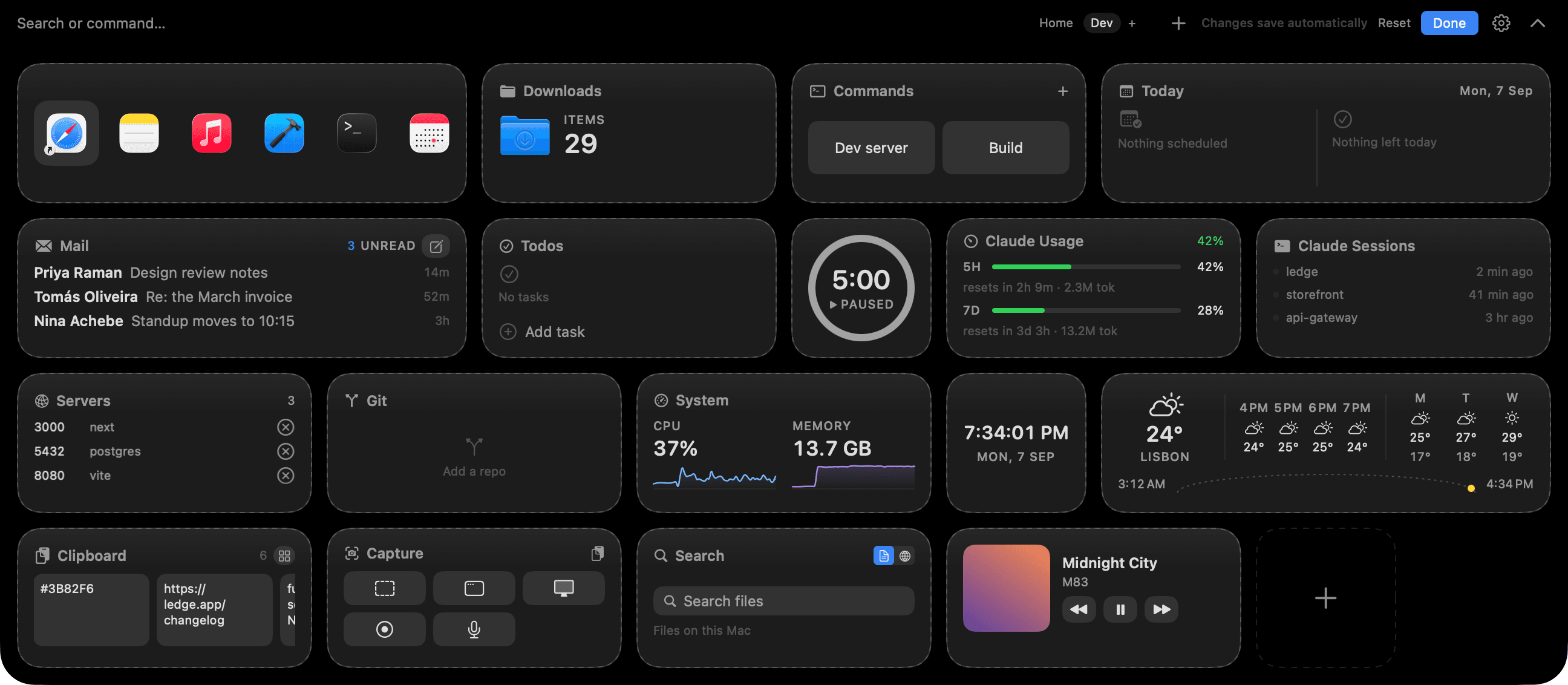
Ledge in edit mode, widgets showing drag handles and resize grips as they snap to the layout grid.

Dark or light. It follows your Mac.

Drag to compare.
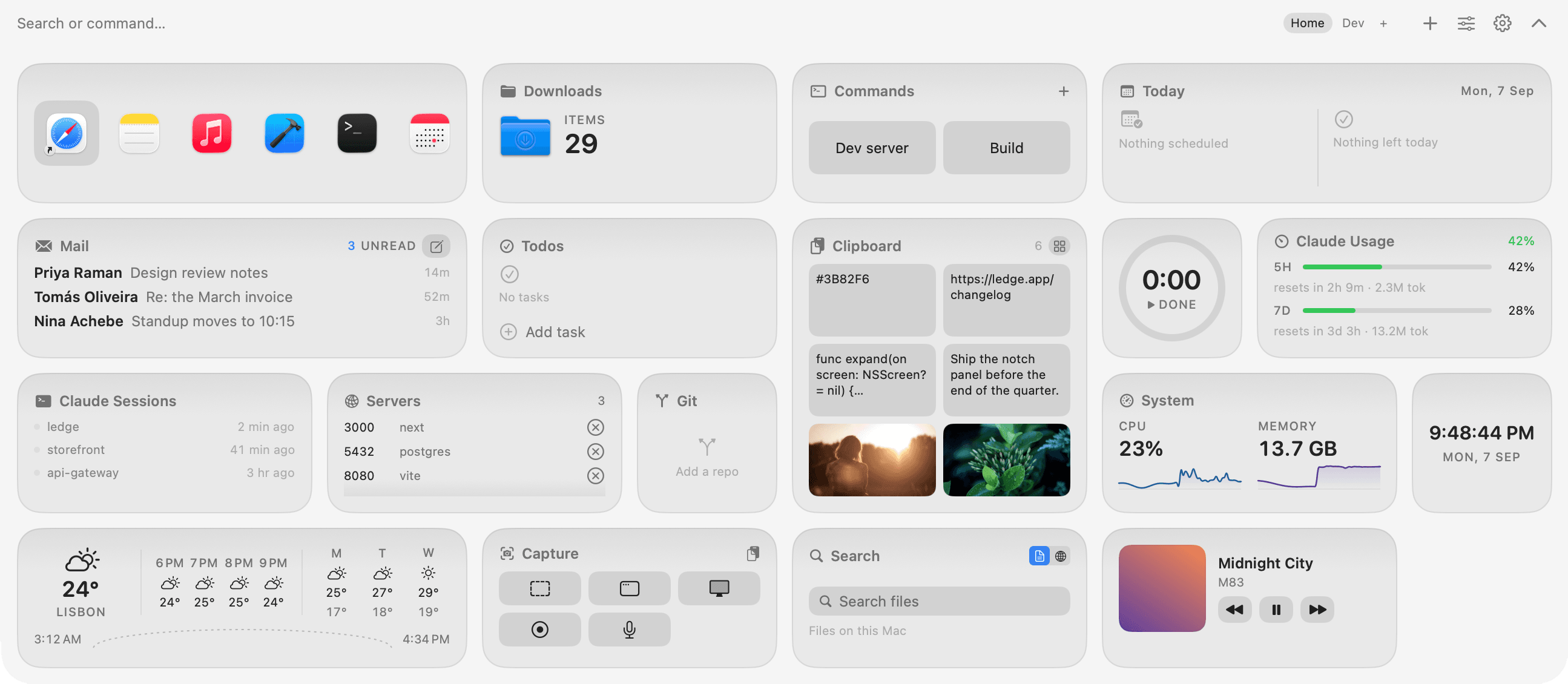
The Ledge Home page in dark mode: calendar, mail, reminders, world clocks and CPU widgets arranged in a grid.
The Ledge Home page in light mode, the same widget grid on a white surface.

No notch? Any edge.

Hang the panel from the top, bottom, or a corner on any display.
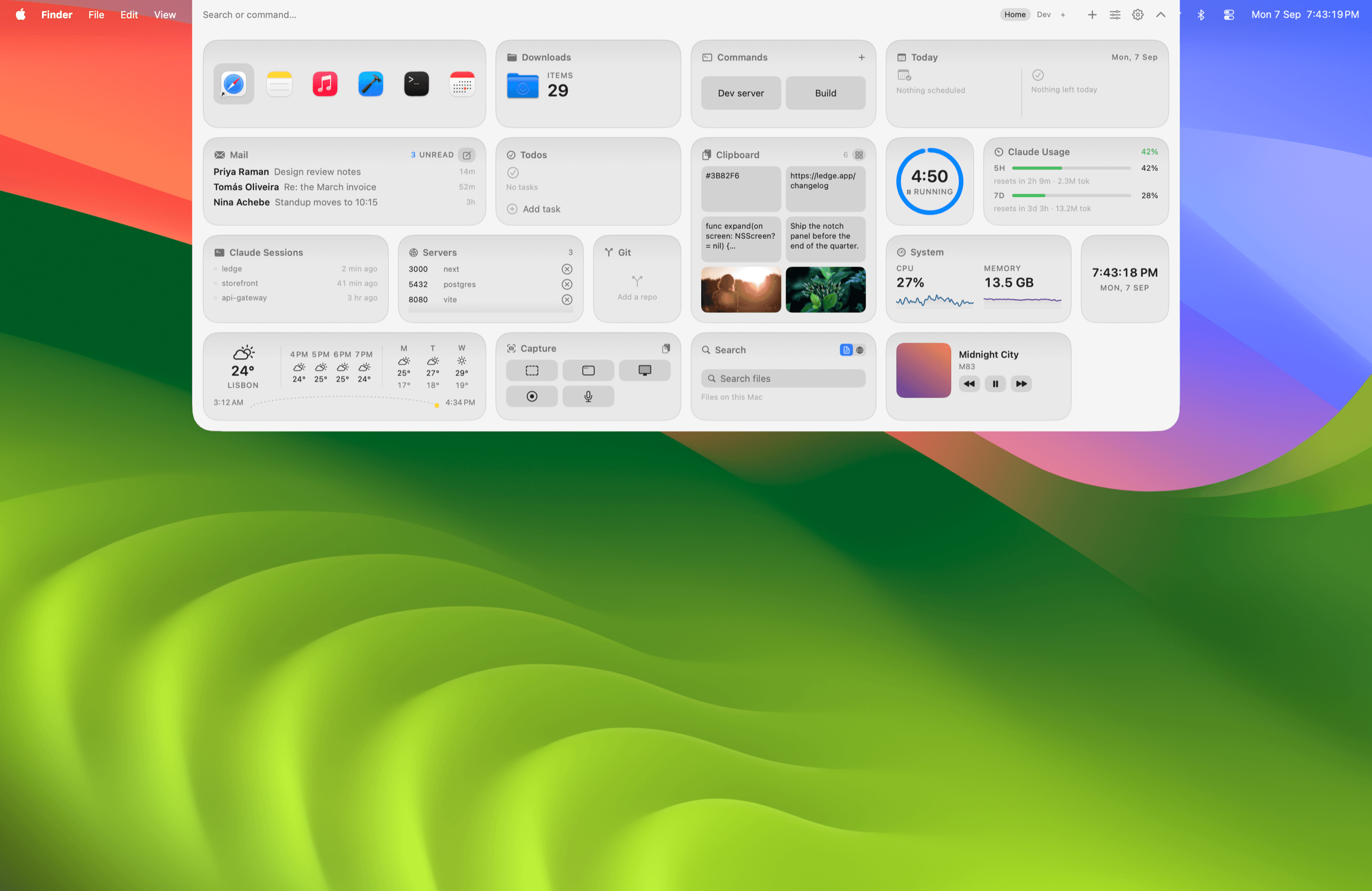
Ledge anchored to the top edge of a display without a notch, the panel hanging from the menu bar.
Ledge anchored to the bottom edge of a display, the panel rising from the lower edge of the screen.

40+ widgets.

Everything you keep checking, in a grid you arrange.

Day
CalendarMailRemindersTodosHabitsHydrationNotesScratchpad
Time
TimerPomodoroStopwatchCountdownWorld ClocksWeather
Mac
CPUMemoryNetworkDiskBatteryWi-FiQuick TogglesKeep AwakeRunning Apps
Developer
DockerServersGitCommandsClaude UsageClaude Sessions
Capture
ClipboardScreenshotsCaptureColor PickerNow Playing
Find
SearchLauncherFolderDownloadsCalculatorConverter

Buy it once.

One license, the Macs you choose. No subscription.

$25

One-time purchase for 1 Mac

Buy Ledge for $25

License key by email. Activate in the app. 7-day money-back.

All 40+ widgetsFree updatesUp to 3 Macs on one keyNo subscription

Download the app first, then activate it with the key from your purchase email. Download for Mac

Questions, answered.

Ledge is signed but not notarized through Apple’s paid program. First launch: right-click the app, choose Open, then Open again. Once. Or System Settings → Privacy & Security → Open Anyway.